iPhone + Apple Watch 구간 기록 앱Split tracker for iPhone + Apple Watch

모든 구간을
손목에서.
Every split,
from your wrist.

런, 스테이션, Roxzone까지. 워치를 한 번 밀면 다음 구간이 기록됩니다. Runs, stations and Roxzone. One swipe on your watch logs the next segment.

TestFlight로 베타 받기Get the beta on TestFlight 무료 · iOS 17, watchOS 10 이상Free · iOS 17 and watchOS 10 or later
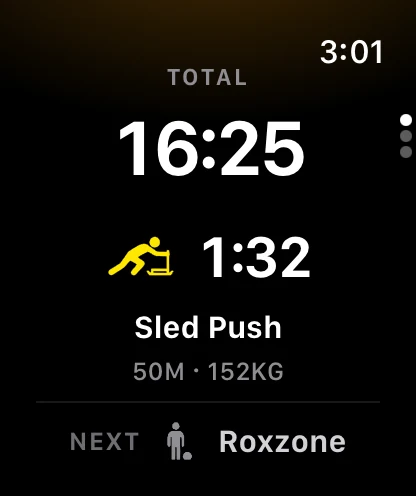
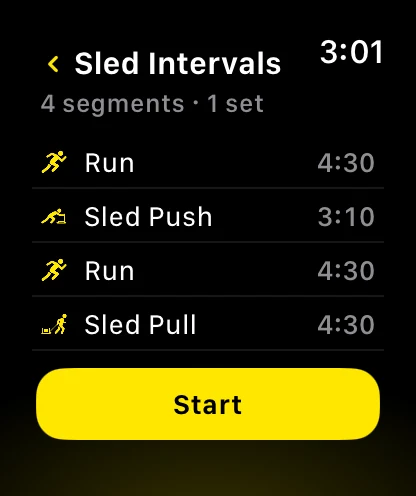
Apple Watch: Sled Push 구간 진행 화면
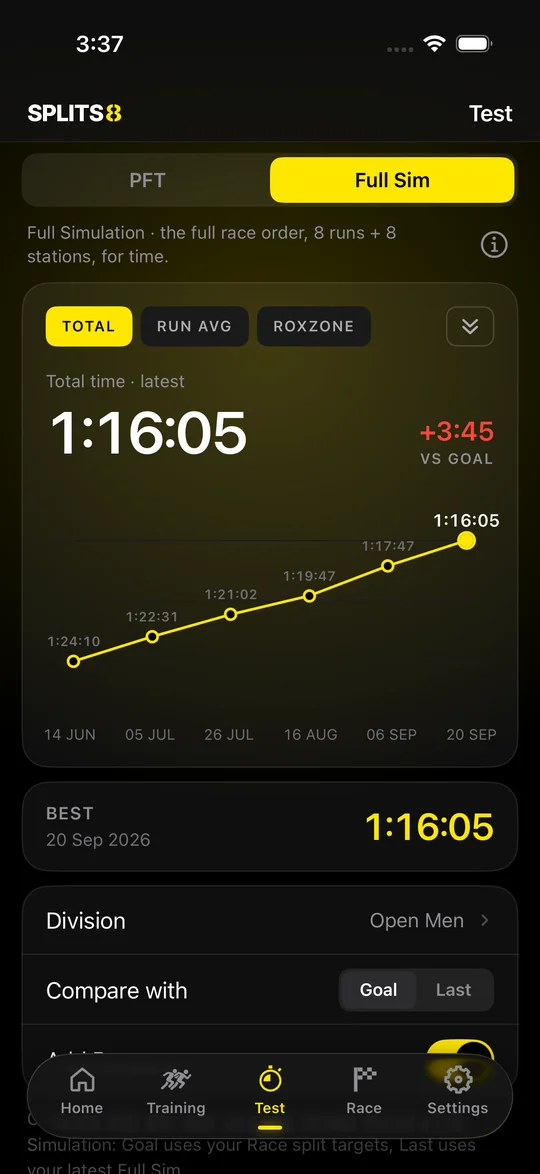
iPhone: 풀 시뮬레이션 기록 그래프 화면

Apple Watch

밀면,
다음 구간.
Swipe.
Next segment.

운동 중에는 화면을 들여다볼 틈이 없습니다. 그래서 조작을 하나로 줄였습니다. Mid-workout there is no time to look at a screen. So there is only one move to remember.

  • 왼쪽으로 밀기 또는 손가락 두 번 톡톡(watchOS 11 이상): 다음 구간Swipe left, or double tap your fingers (watchOS 11 or later): next segment
  • 오른쪽으로 밀기: 일시정지와 종료Swipe right: pause and end
  • 지금 구간 시간, 총 시간, 다음 구간이 한 화면에Current split, total time and what comes next on one screen
워치 운동 중 화면
워치 트레이닝 시작 화면

트레이닝Training

내 운동은
내가 짭니다.
Build the session
you want.

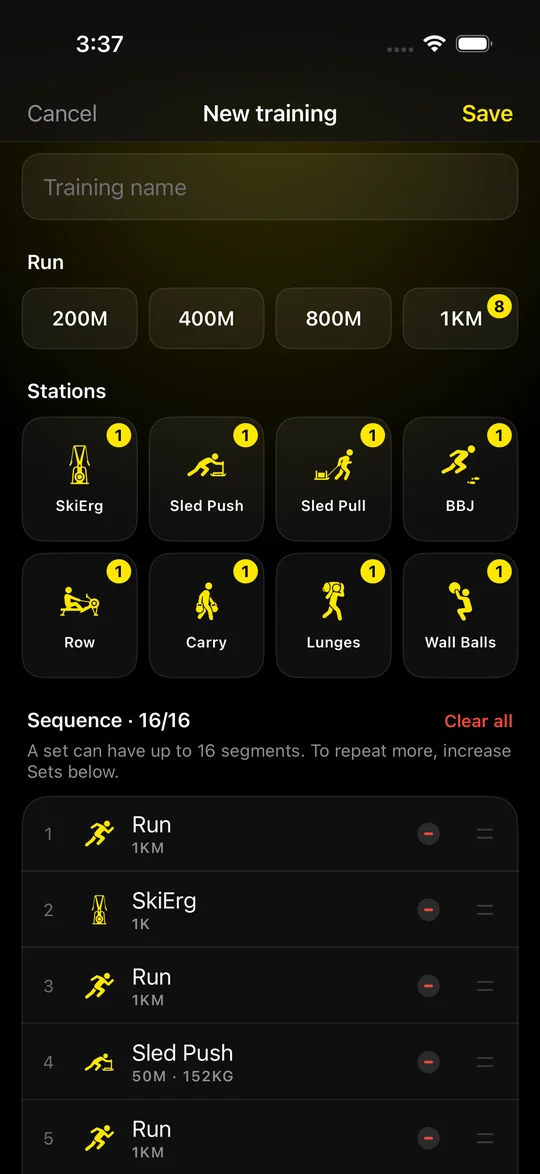
런 거리와 스테이션을 누르는 순서대로 쌓입니다. 저장하면 워치 목록에 바로 나옵니다. Tap run distances and stations in the order you want. Save, and it shows up on your watch.

  • 한 세트에 16구간까지, 세트 반복Up to 16 segments per set, repeat sets
  • 스테이션 8종: SkiErg, Sled Push, Sled Pull, BBJ, Row, Carry, Lunges, Wall BallsEight stations: SkiErg, Sled Push, Sled Pull, BBJ, Row, Carry, Lunges, Wall Balls
  • HIIT와 러닝도 한 번에 시작HIIT and running start in one tap too
새 트레이닝 만들기 화면

풀 시뮬레이션 · 레이스Full simulation · Race

8번의 런,
8개의 스테이션.
Eight runs.
Eight stations.

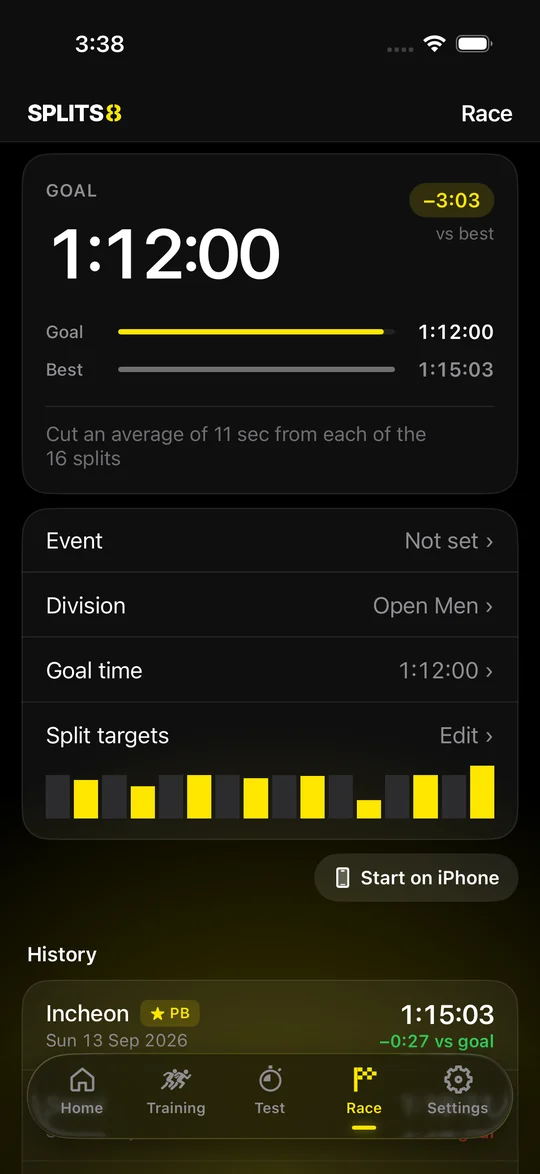
대회와 같은 순서로 처음부터 끝까지. 목표 기록보다 얼마나 앞서는지 구간마다 보여 줍니다. The full race order, start to finish. Each segment shows how far ahead of your goal you are.

  • Roxzone(이동 구간)을 따로 재기Time Roxzone transitions separately
  • 목표 기록 또는 지난 기록과 비교Compare against a goal or your last result
  • 대회 날짜를 넣으면 달력에 표시Add your race date and see it on the calendar
레이스 목표 기록 화면

PFT · 체력 테스트PFT · Fitness test

22분 안에 끝내면,
골드.
Finish under 22:00.
Go Gold.

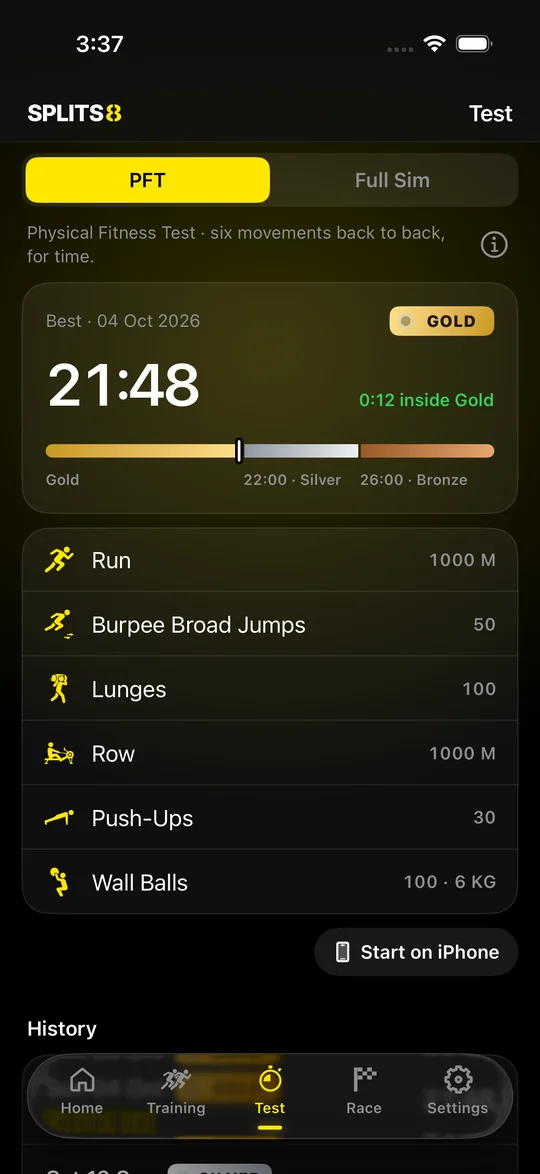
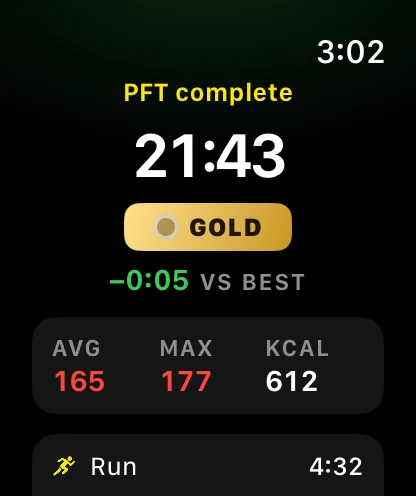
6가지 종목을 쉬지 않고 이어서 합니다. 총 시간에 따라 골드, 실버, 브론즈 뱃지를 받습니다. Six movements back to back, no rest. Your total time earns a Gold, Silver or Bronze badge.

GOLD22:00 미만Under 22:00
SILVER26:00 이내Within 26:00
BRONZE26:00 초과Over 26:00
  • 런 1 km → 버피 브로드 점프 50 → 런지 100 → 로잉 1 km → 푸시업 30 → 월볼 100Run 1 km → 50 burpee broad jumps → 100 lunges → row 1 km → 30 push-ups → 100 wall balls
  • 받은 뱃지는 홈 화면의 내 아이디 옆에 붙습니다Your badge sits next to your name on the Home screen
  • 워치에서 PFT를 누르면 바로 시작. 아이폰만으로도 할 수 있습니다Tap PFT on your watch to start, or run it from the iPhone alone

등급은 SPLITS8 자체 기준이며 HYROX 공식 기록이 아닙니다.Grades are SPLITS8's own guide, not an official HYROX result.

PFT 화면: 최고 기록 21:48, GOLD 뱃지와 등급 막대
워치 PFT 끝 화면: GOLD 뱃지

기록Results

어디서 느려졌는지
바로 보입니다.
See exactly where
you slowed down.

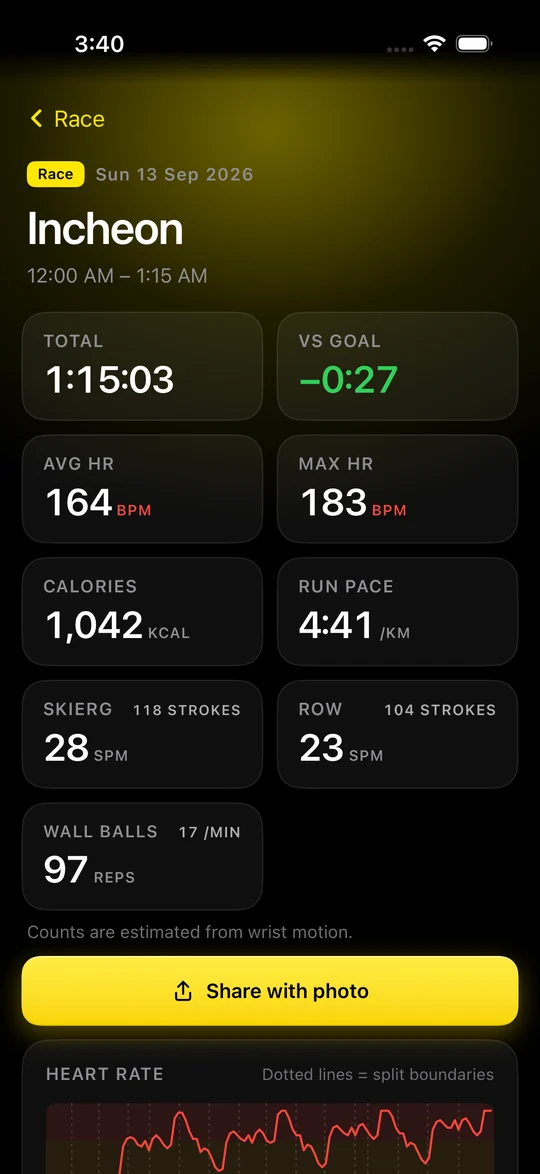
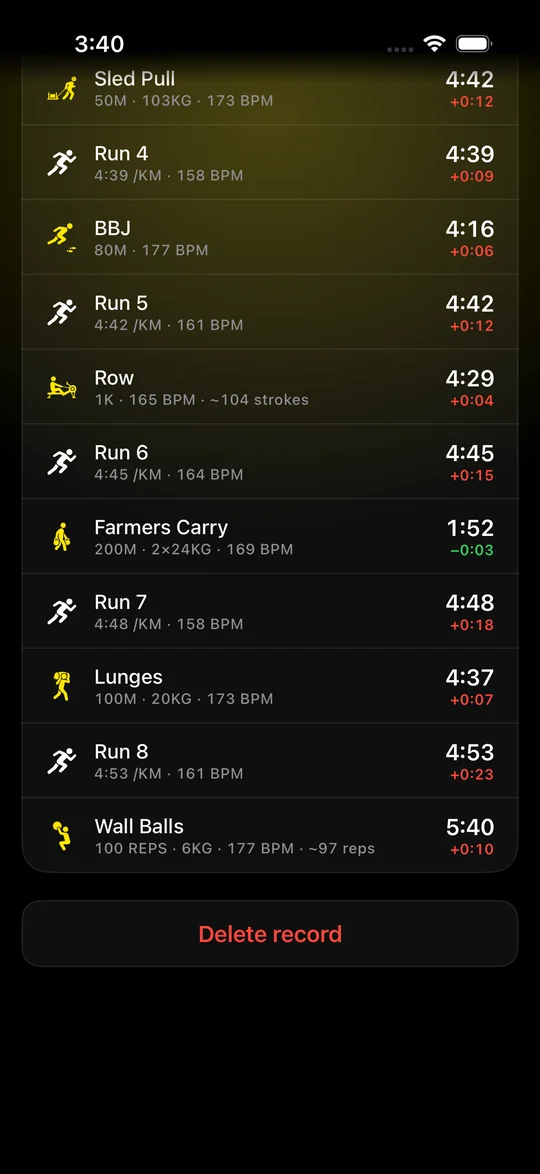
구간별 시간, 심박수, 런 페이스를 한 화면에서 봅니다. Split times, heart rate and run pace in one place.

  • 런 피로도: 어떤 스테이션 뒤의 1km가 가장 느린지Run fatigue: which station costs you the most on the next 1 km
  • 심박 구간별 머문 시간Time in each heart rate zone
  • 기록마다 운동한 시간대와 동네 이름Time of day and neighborhood on every record
기록 상세 화면
구간별 시간 목록

친구Friends

친구 기록을
따라잡으세요.
Chase your
friends' times.

이메일이나 닉네임으로 친구를 찾아 요청하고, 상대가 수락하면 기록이 나란히 놓입니다. Find friends by email or nickname and send a request. Once they accept, your results line up side by side.

  • 풀 시뮬레이션, 레이스, 스테이션별 순위Rankings for Full Simulation, races and every station
  • 친구를 고르면 그 기록이 내 목표가 됩니다Pick a friend and their time becomes your target
  • 같이 뛴 파트너를 기록에 남기기Tag the partner you trained with
  • 누가 볼지는 내가 정합니다: 친구만, 전체 공개, 나만 보기You decide who sees your results: friends, public or only you

공유Share

기록을
한 장으로.
Your result,
on one card.

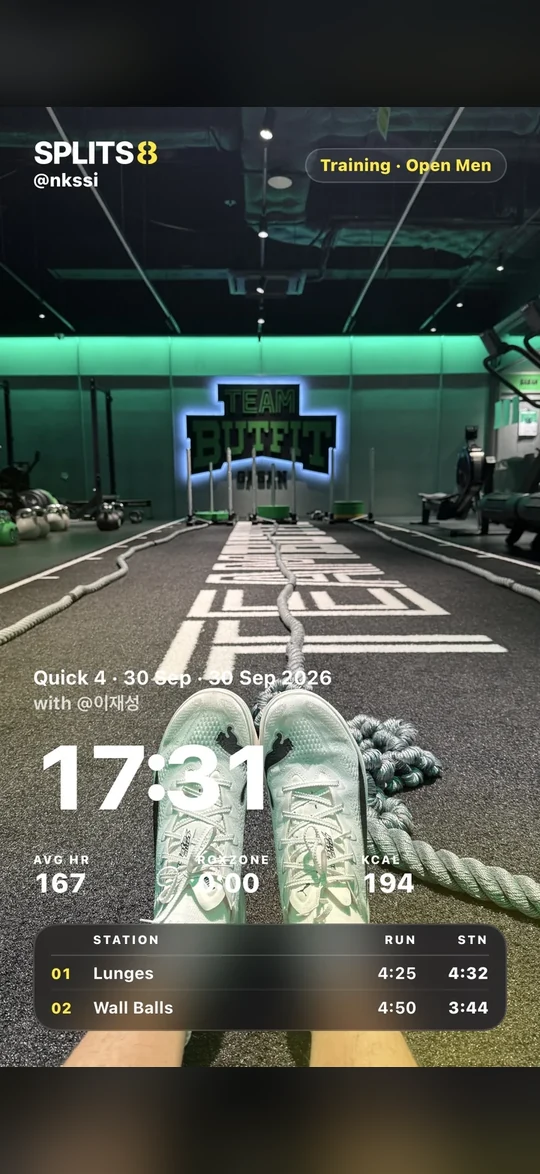
운동 사진을 고르면 그 위에 기록이 올라갑니다. 그대로 SNS에 올리면 됩니다. Pick a workout photo and your result is laid over it. Post it as it is.

  • 모양 세 가지: 포스터, 티켓, 블록Three styles: poster, ticket, block
  • 스토리(9:16)와 게시물(4:5) 크기Story (9:16) and post (4:5) sizes
  • 구간 시간, 글자 색, 흑백 사진을 켜고 끄기Toggle split times, text color and black-and-white photo
공유 그림: 운동 사진 위에 총 시간 17:31과 구간 기록
공유 그림 만들기 화면

그리고And more

이것도 됩니다.Also inside.

HIIT

라운드를 원하는 만큼. 밀 때마다 한 라운드가 기록됩니다.As many rounds as you want. Each swipe logs one.

러닝Running

3, 5, 10, 21K 또는 자유. 1km마다 자동으로 나눕니다. 실외는 달린 길이 지도에 남습니다.3, 5, 10, 21K or free. Auto splits every 1 km. Outdoor runs keep a route map.

달력Calendar

운동한 날, 계획한 날, 대회 날을 한눈에 봅니다.Days trained, days planned and race day at a glance.

건강 앱Apple Health

운동이 건강 앱에 저장됩니다. 심박수는 내 기기에만 남습니다.Workouts are saved to Health. Heart rate stays on your device.

아이폰만으로도iPhone only works too

워치가 없어도 아이폰에서 바로 시작할 수 있습니다.No watch? Start the workout right on your iPhone.

가입 없이도No account needed

기록만 할 때는 가입하지 않아도 됩니다.You can track without signing up.

사용법How to use

다섯 단계면
됩니다.
Five steps
to your first split.

  1. TestFlight로 설치Install with TestFlight

    아이폰에 TestFlight 앱을 먼저 받고, 이 페이지의 "베타 받기"를 누릅니다. 초대 코드는 필요 없습니다. 카카오톡에서 열었다면 Safari로 다시 열어 주세요.Install the TestFlight app on your iPhone, then tap "Get the beta" on this page. No invite code is needed.

  2. 워치에도 설치Add it to your watch

    아이폰의 Watch 앱을 열고 목록에서 SPLITS8의 "설치"를 누릅니다. 워치가 없으면 아이폰만으로도 기록할 수 있습니다.Open the Watch app on your iPhone and tap Install next to SPLITS8. No watch? You can track from the iPhone alone.

  3. 운동 고르기Pick a workout

    트레이닝을 새로 만들거나, PFT, 풀 시뮬레이션, 레이스 중에서 고릅니다.Build a training, or choose PFT, Full Simulation or Race.

  4. 워치에서 시작Start on the watch

    구간이 끝날 때마다 왼쪽으로 밉니다. 멈추거나 끝낼 때는 오른쪽으로 밉니다.Swipe left each time a segment ends. Swipe right to pause or end.

  5. 아이폰에서 기록 보기Review on iPhone

    운동이 끝나면 기록이 아이폰으로 넘어옵니다. 구간별 시간을 보고, 그림으로 공유합니다.When you finish, the result moves to your iPhone. Check each split and share it as an image.

왼쪽으로 밀기Swipe left다음 구간Next segment
손가락 두 번 톡톡Double tap다음 구간 (watchOS 11 이상)Next segment (watchOS 11 or later)
오른쪽으로 밀기Swipe right일시정지 · 종료Pause · End

친구와 비교하려면 설정에서 이메일로 가입하고 닉네임을 정합니다. 친구 요청을 보내고 상대가 수락하면 기록과 순위가 보입니다. To compare with friends, sign up with your email in Settings and pick a nickname. Send a friend request; once it is accepted, you see each other's results and rankings.

새 기능 · 운동이 끝나면New · When you finish1.1

운동 후,
완벽한 분석.
After the workout,
the full picture.

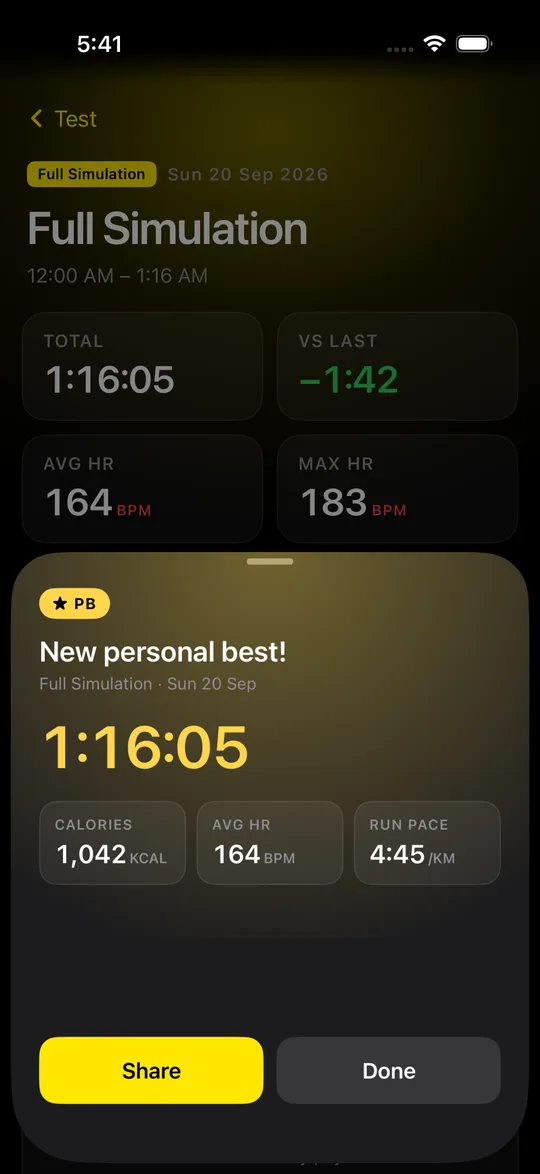
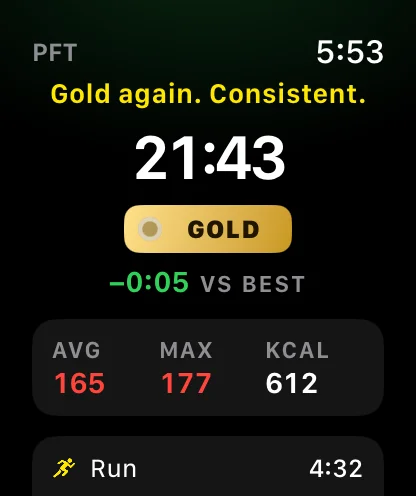
운동을 마치면 기록 위로 카드가 올라옵니다. 그날 운동에 맞는 한마디와 함께 총 시간, 칼로리, 심박이 한눈에. Finish a workout and a card slides up over your result: a line that fits the session, with total time, calories and heart rate.

  • 최고 기록, PFT 골드, 목표 달성, 대회 완주는 금색으로Personal bests, PFT Gold, goals and race finishes glow gold
  • 연속 운동, 오랜만의 운동, 이른 아침까지 30가지가 넘는 상황별 멘트Over 30 messages for streaks, comebacks, early starts and more
  • Apple Watch 요약 화면에도 같은 한마디The same line on the Apple Watch summary
운동 끝 카드: New personal best! 1:16:05
워치 요약 화면: Gold again. Consistent.

새 기능 · 기록 분석New · Insights1.1

기록이
먼저 말해 줍니다.
Your splits,
explained.

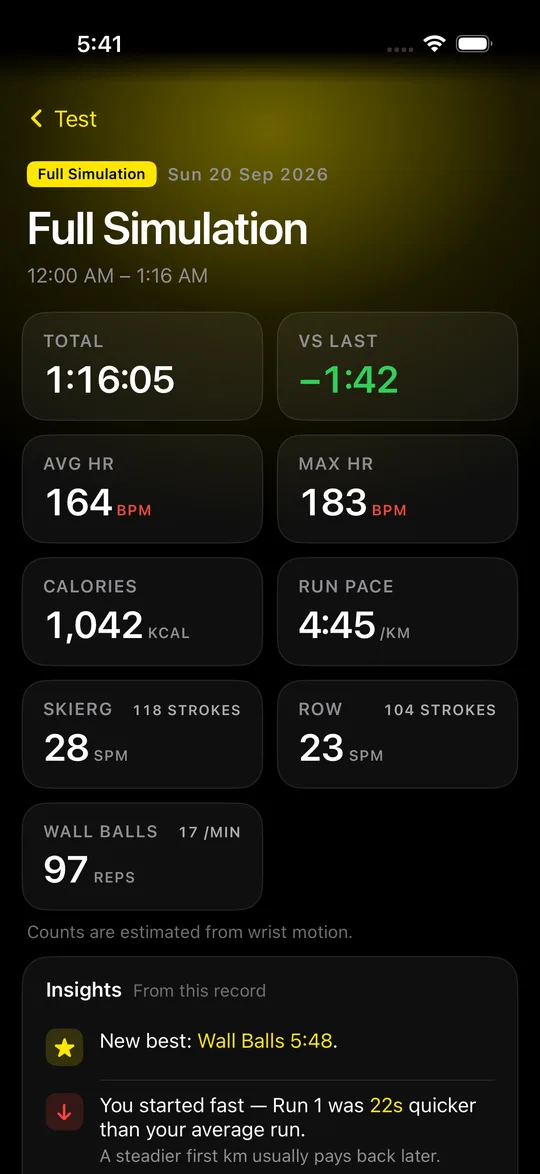
기록을 열면 숫자 바로 아래에 짧은 분석이 붙습니다. 어디서 처졌는지, 무엇이 좋아졌는지, 다음엔 어디를 줄이면 되는지. Open a result and a few short insights sit right under the numbers: where you slowed, what improved and where to find time next.

  • 러닝 페이스, 스테이션, Roxzone, 심박, PFT 등급까지 42가지 규칙42 rules across run pacing, stations, Roxzone, heart rate and PFT grades
기록 화면의 Insights 카드

새 기능 · 실시간New · Live on iPhone1.1

워치로 뛰고,
폰으로 봅니다.
Run on the watch.
Watch it on the phone.

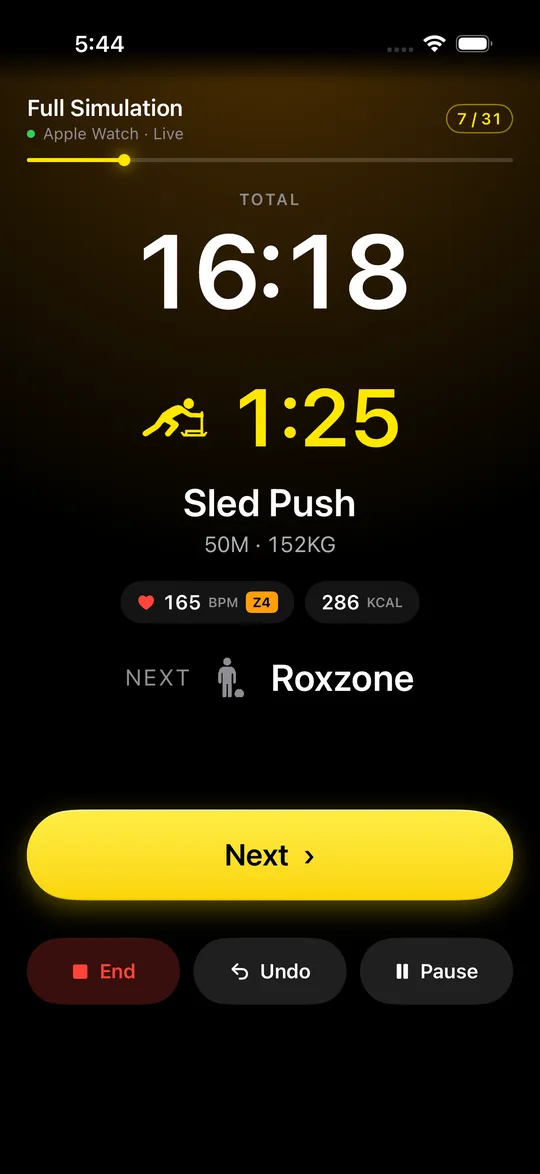
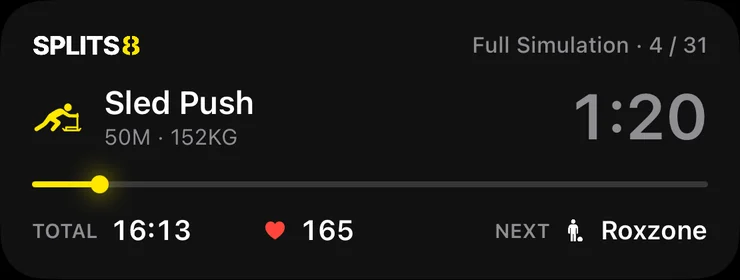
Apple Watch로 운동을 시작하면 iPhone에 같은 화면이 실시간으로 나옵니다. 잠금 화면과 다이내믹 아일랜드에도. Start on Apple Watch and your iPhone follows live, on the Lock Screen and in the Dynamic Island too.

  • 워치에서 넘기면 폰도, 폰에서 넘기면 워치도 넘어갑니다Next, Undo and Pause work from either device
  • 심박 구간 색과 칼로리를 크게Heart-rate zone and calories, big and clear
iPhone에 나온 워치 운동 실시간 화면
잠금 화면 실시간 표시: Sled Push 1:20

새 기능 · 위젯New · Widgets1.1

홈 화면에
D-day.
Race day,
on your Home Screen.

다음 대회까지 남은 날과 목표, 이번 주 운동을 앱을 열지 않고 봅니다. 대회가 가까울수록 노란빛이 진해집니다. Days to your next race, your goal and this week's workouts, without opening the app. The glow grows as race day gets closer.

  • 홈 화면 · 잠금 화면 · Apple Watch 컴플리케이션Home Screen, Lock Screen and Apple Watch complications
  • 이번 주 요약: 횟수, 시간, 칼로리, 달린 거리This week: workouts, time, calories and distance
D-day 위젯과 이번 주 위젯

문의 · 요청Contact · Requests

고칠 것과 바라는 것을
알려 주세요.
Tell us what is broken
and what you want.

이메일Email

버그, 기능 요청, 무엇이든 보내 주세요.Bugs, feature requests, anything.

nkssi1981@gmail.com
준비 중COMING SOON

게시판Board

문의와 요청 글을 올리고 답을 볼 수 있는 게시판을 만들고 있습니다.A board for questions and requests is on the way.

호랑이는 죽어서 가죽을 남기고,
하이록서는 기록을 남긴다.
Start with your
next session.

당신의 기록, SPLITS8에.Free during the beta. Try it and tell us what you think.

TestFlight로 베타 받기Get the beta on TestFlight

베타 기간에는 무료입니다. 써 보고 의견을 보내 주세요.